17
продукти
Продукти
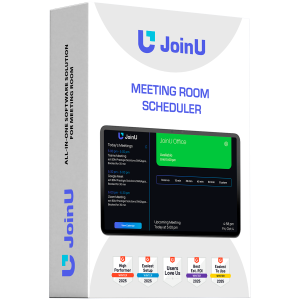
JoinU Room Scheduler license, 1 year


JOINU SCHEDULER
A meeting rooms schedule management solution that saves you time in meetings

JoinU Room Scheduler is an application for scheduling rooms that enables overview of all your meeting rooms & can be viewed on each device. The intuitive interface helps you keep track of pending meetings, agendas, room schedules and availability. With a single click, all employees can scheduling the room they need.
SCHEDULE ROOM WITH YOUR TABLET
Save time and money - there's no need to spend money on additional hardware. With the JoinU Scheduler application, use your tablet (Android or iPad) as room scheduling system.


FIND AN AVAILABLE ROOM TO MEET EASILY
JoinU Scheduler's intuitive interface provides you the status and schedule of a meeting room simultaneously - color varies according to availability.
ONE CLICK TO BOOK A CONFERENCE ROOM
Use JoinU Scheduler's convenient room scheduling interface to seamlessly book 15, 30, 45, and 60 minute meeting rooms for you and your team.


OPTIMIZE YOUR CONFERENCE SPACE
With JoinU Scheduler, make the smartest use of your space: check room availability to determine occupancy and automatically release unused spaces.


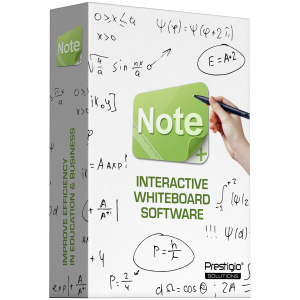
Note 3 interactive whiteboard software, License type – lifetime


NOTE 3
Interactive whiteboard software that improves efficiency in education and business

Note3 is an updated and improved version of EasiNote. It’s a versatile interactive tasks software for business and educational environments. Leveraging interactive touch technology, it is ideal for classrooms and personal use on Interactive Panels, laptops, and tablets based on Windows OS. Note3 offers functions like writing, erasing, annotating, and drawing, facilitating superior teaching and presentations. It includes subject-specific tools and multimedia capabilities for diverse educational needs and professional presentations.
ENHANCE LESSONS & PRESENTATIONS
Note3 enhances education and business with a user-friendly interface, navigation map, and gesture-controlled toolbars. It offers specialized tools for subjects like English, Math, Chemistry, and Physics, making lessons interactive. Features like screen cover, spotlight, zooming, and annotation blend traditional and modern methods, solving issues like engagement and comprehension. In business, Note3 improves presentation clarity and maintains audience attention. Users can highlight key points, zoom into details, annotate directly, and navigate easily, making it ideal for meetings, training, and client presentations.


BROAD DEVICE COMPATIBILITY
Note3 is available on a variety of Windows OS devices. This ensures flexibility and accessibility across various settings, from classrooms to corporate presentations.
| Interactive Panels
| Laptops
| Personal PCs
| Tablet PCs
| Projectors
TRANSFORMING CLASSROOM EXPERIENCES
Note3 software transforms educational experiences with interactive tools designed for various subjects. These features help solve common educational challenges such as maintaining student interest, ensuring clear communication, and adapting to diverse learning needs. Benefits include:
| Simulated soft pen: Provides a natural writing experience, making it easier for teachers to illustrate materials and for students to engage in the lesson.
| Customizable settings: Allow personalization of brushes, erasers, and canvas backgrounds, catering to different teaching styles and enhancing visual learning.
| Intuitive interface: Boosts engagement and effectiveness by making it simple for teachers to create dynamic lessons and for students to follow along and participate actively.


THE IDEAL INTERACTIVE TOOL
Note3 stands out due to its comprehensive features and ease of use. The friendly interface and practical presentation tools make it invaluable for teaching or business. Whether enriching classrooms, drawing football attack tactics or delivering impactful presentations, Note3 integrates traditional methods with advanced digital tools for a seamless experience. With a Note3 license, users access a lifetime of powerful features, making it a wise investment for educational and professional settings.


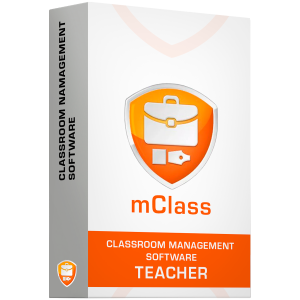
Wireless classroom teacher application license. One teacher license supports connectivity of up to 50 licensed student devices (depending on WiFi router capacity). Demo mode:5


MCLASS
Interactive teaching and powerful management

mClass is a powerful interactive software for the classroom that enhances wireless education and classroom efficiency. It connects and manages up to 40 devices with applications for teachers and students on Windows, and Android platforms. Ideal for dynamic educational environments, mClass ensures seamless control, communication and interaction for effective learning.

EFFECTIVE CONTROL
Classroom Management is a technique that assists teachers in effectively controlling and managing their class.

SCREEN BROADCAST
The teacher has the ability to share their screen with students either in Full Screen or Windowed mode. Full Screen mode takes over the entire screen, preventing students from accessing other applications. Windowed mode displays the teacher's desktop in a window, allowing students to switch between it and other applications.
LIVE BROADCAST
The teacher can stream their content live to multiple students using a USB web camera. Additionally, they can broadcast their voice while streaming the live content.


INTERACTIVE WHITEBOARD
Facilitates a dynamic classroom environment that fosters teacher-student interaction. The teacher can employ a whiteboard to share various materials, such as paintings, images, screenshots, and documents, with the students. Furthermore, the teacher can collaborate with the students by drawing together using a variety of tools, brushes, and shapes. Additionally, the teacher can monitor the students' progress and select an exemplary student to showcase their work to the rest of the class when students are working on their individual canvases.
REMOTE COMMAND
Enables effortless control over students' PCs and tablets. You can remotely power on, shut down, or reboot all devices, as well as launch or close applications without physically accessing each device. Convenient management from your own computer.


UNLEASH THE POWER OF DIGITAL ELEARNING
mClass helps seamlessly integrate interactive technologies into the classroom, catering to the preferences of today's tech-savvy students. With mClass, teachers can play an active role in eLearning, using features such as remote screen viewing, real-time chat support, and virtual group collaboration tools. They can streamline assessments by designing tests and quizzes using pre-built templates or custom questions. This software empowers educators to facilitate interactive learning experiences, foster teamwork, and provide personalized support, ultimately increasing engagement and academic achievement.
CULTIVATE TEAMWORK AND COMMUNICATIONS SKILLS
Through its interactive collaboration tools, mClass enables students to develop critical teamwork, leadership, analytical, and communication skills. Create group or thematic chats where students can brainstorm ideas, discuss tasks, and engage in dynamic exchanges.


STREAMLINE EDUCATIONAL RESOURCES
mClass simplifies the distribution and management of educational materials, ensuring a seamless learning experience. Teachers can effortlessly share files, homework assignments, digital textbooks, and study guides with the entire class or selected groups of students.
ASSESS LEARNING AND GATHER VALUABLE INSIGHTS
Conduct quizzes, surveys, and polls with the entire class or selected groups using mClass. These interactive assessments provide insights into student comprehension and knowledge retention. Collect real-time feedback to determine if you've covered the material effectively. Reinforce concepts as needed and personalize the learning experience.


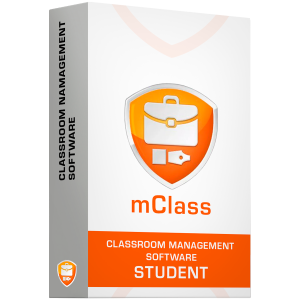
mClass, wireless classroom management software, up to 60 student devices - student license, lifetime


MCLASS
Interactive teaching and powerful management

mClass is a powerful interactive software for the classroom that enhances wireless education and classroom efficiency. It connects and manages up to 40 devices with applications for teachers and students on Windows, and Android platforms. Ideal for dynamic educational environments, mClass ensures seamless control, communication and interaction for effective learning.

EFFECTIVE CONTROL
Classroom Management is a technique that assists teachers in effectively controlling and managing their class.

SCREEN BROADCAST
The teacher has the ability to share their screen with students either in Full Screen or Windowed mode. Full Screen mode takes over the entire screen, preventing students from accessing other applications. Windowed mode displays the teacher's desktop in a window, allowing students to switch between it and other applications.
LIVE BROADCAST
The teacher can stream their content live to multiple students using a USB web camera. Additionally, they can broadcast their voice while streaming the live content.


INTERACTIVE WHITEBOARD
Facilitates a dynamic classroom environment that fosters teacher-student interaction. The teacher can employ a whiteboard to share various materials, such as paintings, images, screenshots, and documents, with the students. Furthermore, the teacher can collaborate with the students by drawing together using a variety of tools, brushes, and shapes. Additionally, the teacher can monitor the students' progress and select an exemplary student to showcase their work to the rest of the class when students are working on their individual canvases.
REMOTE COMMAND
Enables effortless control over students' PCs and tablets. You can remotely power on, shut down, or reboot all devices, as well as launch or close applications without physically accessing each device. Convenient management from your own computer.


UNLEASH THE POWER OF DIGITAL ELEARNING
mClass helps seamlessly integrate interactive technologies into the classroom, catering to the preferences of today's tech-savvy students. With mClass, teachers can play an active role in eLearning, using features such as remote screen viewing, real-time chat support, and virtual group collaboration tools. They can streamline assessments by designing tests and quizzes using pre-built templates or custom questions. This software empowers educators to facilitate interactive learning experiences, foster teamwork, and provide personalized support, ultimately increasing engagement and academic achievement.
CULTIVATE TEAMWORK AND COMMUNICATIONS SKILLS
Through its interactive collaboration tools, mClass enables students to develop critical teamwork, leadership, analytical, and communication skills. Create group or thematic chats where students can brainstorm ideas, discuss tasks, and engage in dynamic exchanges.


STREAMLINE EDUCATIONAL RESOURCES
mClass simplifies the distribution and management of educational materials, ensuring a seamless learning experience. Teachers can effortlessly share files, homework assignments, digital textbooks, and study guides with the entire class or selected groups of students.
ASSESS LEARNING AND GATHER VALUABLE INSIGHTS
Conduct quizzes, surveys, and polls with the entire class or selected groups using mClass. These interactive assessments provide insights into student comprehension and knowledge retention. Collect real-time feedback to determine if you've covered the material effectively. Reinforce concepts as needed and personalize the learning experience.


Prestigio Solutions Video Conferencing 4K PTZ Camera Alpha: 4K UHD, 8.4MP, PTZ, AI, No mic, PoE, Connection via HDMI 2.0, USB 3.0, RJ45 or 3G-SDI


4K PTZ CAMERA ALPHA
4K UHD video-conferencing camera professionally engineered for incredibly smooth and intelligent communications in medium to large meeting rooms and halls.

PROFESSIONAL QUALITY
The camera’s advanced specifications allow video to be streamed in 4K UHD resolution at 60 fps, providing unsurpassed image quality and maximum realism. The Sony sensor ensures true image capture reproducible at high speed.
AI INTELLIGENT TRACKING
The camera-integrated smart tracking algorithm provides for instant detection of participants, smooth automatic tracking and framing of presenters.


POWER OVER ETHERNET
Thanks to the PoE support, the camera may be placed anywhere, such as on a wall or upside down, even without direct access to a power outlet.
WIDE ROTATION RANGE
The camera’s view fields and wider rotation ranges make it perfect for big team communications. Its precise detail-capturing capabilities and unmatched clarity will allow every participant to feel fully engaged.


MULTIPLE INTERFACES
The 4K PTZ Camera Alpha is equipped with multiple ports (Ethernet, USB, HDMI, 3G-SDI) for the multiple choice of the camera's connection to the wide range of modern devices.


PRESTIGIO SOLUTIONS Multiboard 75'' Light+ Gen 2, Android 13, Google EDLA, AI Camera, 16/128GB


MULTIBOARD 75'' LIGHT+ Gen 2 Series
Interact. Motivate. Inspire. Collaboration champion in business and education.

TRANSFORM YOUR MEETINGS AND CLASSROOM LESSONS
The Gen 2 Series of the popular Multiboard Light+ is enriched with best-in-class integrated software solutions and new features. Now you can enjoy Wi-Fi 6 connectivity speed and create a reliable hotspot for your visitors with Dual Wi-Fi. This all-in-one solution is Google EDLA certified, providing full access to Google services and the Play Store, while delivering the benefits of an upgraded in-built camera with AI tracking features, enhanced brightness display, Voice Assistant (Google Assistant) and Copilot (with OPS only), 50 touch points, plus secure NFC login. With the 2nd generation of Multiboard Light+, users are empowered to transform business meetings and classroom lessons into captivating and engaging collaborations.

ENJOY TOP-NOTCH AV QUALITY WITH AI TOOLS
Overcome geographical barriers by including guest speakers or teachers with high-quality video calls, as Multiboard Light+ Gen 2 delivers clear and crisp voice capture through its inbuilt 8-microphone array. Powered by a 48MP camera with intelligent AI tracking that automatically zooms in and out on speakers, users can deliver truly dynamic presentations. Additionally, its 4K resolution and 500 nits brightness ensure a sharp, high-quality visual experience for every participant—whether in a small, medium, or large room.


GET MORE FLEXIBILITY WITH MODERN WI-FI 6 AND DUAL WI-FI
Thanks to the Wi-Fi 6, Multiboard Light+ Series Gen 2 users experience ultra-fast uploading or downloading and hustle free video sharing with their colleagues or students. While your guests use the company network, they can also easily connect to the dedicated hotspot via the Multiboard’s Dual Wi-Fi, enabling them to actively participate by sharing files or wirelessly casting their screen.
MAINTAIN SECURE AND RELIABLE PERFORMANCE
Multiboard Light+ Gen 2 is officially Google certified, ensuring stable and reliable system operation for daily work and teaching. With regular security updates for up to two years, the device stays protected for longer while supporting smooth app performance and consistent operation..


MORE CONNECTIVITY OPTIONS
Need to share your screen or videos during a meeting but running low on battery? The Multiboard Light+ Gen 2 Series has you covered with its Bring Your Own Device feature. Simply connect your device via a Power Delivery USB-C cable to mirror your screen and control your laptop directly from the Multiboard’s touch display, all while it charges at 100W. This ensures your device stays powered throughout the meeting and even long after it ends.
REMOTE DEVICE MANAGEMENT FOR ADMINS
Admin users now can proactively monitor and timely update Multiboard and its applications remotely, thus save valuable time; this is crucial for IT departments responsible for several Multiboards.


FULL COMPATIBILITY WITH MICROSOFT 365 AND GOOGLE WORKSPACE
To simplify your collaboration in business meetings and facilitate easy sharing of files by all participants, Multiboard Light+ Gen 2 enables you to use Google Drive or OneDrive, ultimately delivering an inclusive and productive collaboration experience. Suitable for small, medium, as well as large meeting rooms, this all-in-one solution is ideal for business meetings, as it combines high AV quality with several connectivity options and integrated software solutions, like Office Suite Premium and Wireless Screen Sharing.
TAKE EDUCATION TO THE NEXT LEVEL
Multiboard Light+ Gen 2 is fully compatible with the popular Google Classroom as well as Microsoft Education software; in addition, it provides access to Europe’s most successful educational software, Mozabook (1-year free license) and its impressive multimedia library of 1300+ 3D scenes, videos and audio files, worksheets etc. available in several languages. With Multiboard Light+ Gen 2 you also get the opportunity to record your lectures and screen for absent students, as well as capture memorable moments. It delivers an impressive visual experience that encourages independent and inclusive learning, suitable even for students with disabilities e.g. via screen magnification.

PREINSTALLED SOFTWARE
Easy-to-use
software for business and education, including mozaBook Classroom with a free year license, provides
a complete solution.
Simplifies employee work, or increases
classroom engagement.
GOOGLE PLAY STORE
Google EDLA-certified device with legal access to Google Mobile Services via pre-installed app store, including YouTube, Chrome, Gmail, etc.
IA TOOLS
AI-camera with person tracking and dual recognition modes, combined with an AI Assistant for voice control, smart search, and meeting support
DRAWING AND ANNOTATIONS
Multi-user whiteboard app supporting up to 50 simultaneous touches, split-screen mode for 3 people, and multilingual handwriting recognition
WIRELESS SCREENSHARING
Cable-free content broadcasting from any device and OS, with reverse mirroring, two-way remote control, and presenter management through admin delegation
NFC
NFC authentication allows users to lock and unlock the display and launch assigned applications with a tap - supporting up to 300 registered cards
MOZABOOK
AI-based interactive educational software designed for engaging and effective lessons (1-year free license for educational institutions)
MOBIOFFICE
Full-featured office suite for annotating, reviewing, securing, and signing PDF, Word, Excel, PPT, and other files (lifetime premium license included)
REMOTE DEVICE MANAGEMENT
Radix Viso RDM provides centralized monitoring, remote control, and device administration from one place (optional paid license)


12 Months extended warranty for Prestigio Solutions


EXTENDED WARRANTY
Get up to 2 years’ extended warranty for Prestigio Solutions Multiboards

With Prestigio Solutions Multiboards, you can always expect more, because they are built to deliver! Every time you order our Multiboards, you have the option to get extended warranty for 1-2 years. Just make sure to purchase your extended warranty on the same day you order Multiboards, because this service is not available for past orders.

Prestigio Solutions provides this extended warranty option to customers who seek high quality maintenance for their interactive panel, so that they can extend its lifecycle and increase ROI. The standard 3-year warranty of Prestigio Solutions Multiboards is also valid, which means that our customers can benefit from in-warranty repairs for 5 years in total. Whenever they face technical issues during this period, they can just contact their nearest Service Center and enjoy certified door-to-door or onsite service.
Standard Warranty Terms apply: https://prestigio-solutions.com/warranty-terms


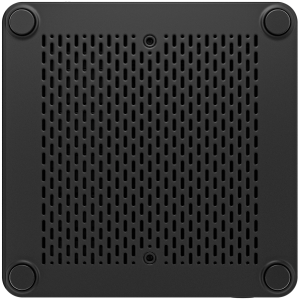
PRESTIGIO SOLUTIONS mini PC Core i5 10th Gen, 8GB RAM, 256GB SSD, 3G/LTE, Windows 11 trial


PC FOR MULTIBOARD WITH 3G/4G
Combine with Multiboard Light or Light+


NEW LEVEL OF PERFORMANCE
PC with 3G/4G for Multiboard is a multifunctional addition to the models of the Multiboard Light and Light+ range, to make your solution even more convenient with the pre-installed Prestigio Solutions Multiboard applications for business and education, including mozaBook Classroom with a free license for a whole year.
MOBILE SOLUTION
Prestigio Solutions Multiboard based on PC with 3G/4G function will save you forever from unnecessary wires, unstable Wi-Fi connection, and will also allow you to use the interactive panel as an access point and provide everyone present with an Internet connection.


STANDALONE PC
The main advantage of the updated model that now there is a power cord included and it can be used as a mini PC for any screen and purpose.


Prestigio Solutions Virtuoso PSTA107, 11.97" 2K, 4GB+128GB, Wi-Fi


TABLET VIRTUOSO PSTA107
The light, slim, elegant tablet yet powerful due to its uniquely crafted metal body, narrow screen bezels outside, and high-performance hardware inside

ULTRA-SLIM ELEGANCE
Rounded corners and a thin metal body with an anodized finishing texture make this tablet a top contestant in beauty and elegance competitions. Real chic with a thickness of only 6.9 mm.
IMMERSIVE ENTERTAINMENT
12-inch IPS LCD display with 2K resolution for even more detail. The Quad-speaker system with 4.0 surround sound provides an unbeatable experience for streaming and gaming.

MARATHON BATTERY LIFE
Long battery life ensures extended usage without frequent recharging. Keep going with a robust 7150 mAh battery and fast charging for the next marathon of movies and games.
EXCELLENT CHOICE FOR BUSINESS PROFESSIONALS
Easily handles presentations, video conferencing, and multitasking with exceptional performance. Designed for professionals on the go, it offers seamless transitions between tasks, ensuring your workflow is smooth and efficient, whether you are delivering a presentation, joining a virtual meeting, or managing multiple applications at once.

REMARKABLE PRODUCTIVITY
The multi-screen collaboration feature allows seamless interaction between the tablet and other devices, boosting productivity and enabling efficient multitasking across screens. Powered by a Qualcomm Snapdragon 680 chipset, it delivers impressive performance with an 8-core 6 nm high-score CPU, 4 GB of RAM, and 128 GB of internal storage—expandable up to 512 GB. Whether you are managing complex tasks or storing large files, this tablet ensures a smooth, powerful experience to support all your professional needs.
PORTABILITY
With its light and slim design, it is your companion everywhere during meetings and presentations.


TABLET FOR THE EDUCATIONAL SECTOR
It is perfectly suited for online lessons, digital textbooks, and educational applications. Its user-friendly interface and powerful performance make it an ideal tool for students and educators alike. It supports interactive learning, seamless access to study materials, and efficient use of educational apps. Whether in the classroom or at home, this tablet enhances the learning experience with ease.
LEARNING TOOLS
Large screen and multi-window support, making it perfect for multitasking between educational apps and resources. Students and educators can effortlessly switch between tasks, view multiple apps side by side, and stay organized—enhancing productivity and providing a more immersive learning experience.


ПРОДУКТИ