8
продукти
Продукти
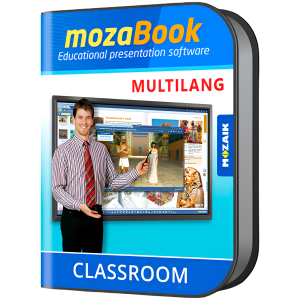
mozaBook MULTILANG - 40 languages / one device/ 1 Yearinteractive educational presentation software for teachers


mozaBook Classroom Multilang
Integrate impressive software for teaching with impressive interactive elements and its skill-building features to provide students with an engaging and productive learning environment. Available in 40 languages, so that users can switch anytime.

INNOVATIVE TOOL
MozaBook revolutionizes the studying experience by incorporating interactive teaching software features. Its captivating illustrations, animations, and presentation options make it an engaging platform for students.

SIMPLE AND INTUITIVE
MozaBook is designed with teachers in mind, ensuring that it is intuitive and user-friendly, with functions easily accessible in expected locations.


SOCIAL
MozaBook promotes social learning by enabling teachers to share exercise books and worksheets at the school or national level.
VERSATILE
The online teaching software is versatile, allowing users to create their own digital textbooks by adding interactive content from the media library to PDF documents.


BREATHTAKING
Classroom teaching software MozaBook offers an impressive collection of resources to inspire and engage students with over 1300 3D scenes, educational videos, audio files, and worksheets.
UNLOCK INNOVATIVE DIGITAL EDUCATIONAL SOLUTIONS
Mozaik provides cutting-edge solutions for teachers, students, and schools. Students experience digital textbooks and interactive lessons on PCs, tablets, and smartphones, enabling productive learning anytime, anywhere via MozaBook and mozaWeb. Teachers enhance their program with advanced interactive software for engaging digital lessons. The Mozaik PACK offers discount of group licenses for schools to integrate versatile educational software into their curriculum more easily.


EXCITING TOOLS FOR BETTER EDUCATION
MozaBook offers exciting tools for better education: interactive visualization across school subjects by a vast 3D scene library, skill-building games and experiment tools encouraging creativity, digital lessons with immersive tasks, and 20 x 3D smart books with over 800 scenes for cutting-edge learning experiences. This innovative software provides solutions for students, teachers, and schools to enhance education through engaging digital content.


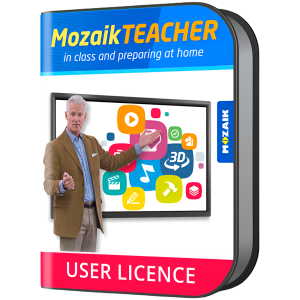
Mozaik TEACHER license for all platform, for one teacher, 1 year


MOZAIK TEACHER
A user license designed for flexibility

Mozaik TEACHER gives users the ability to create a user account and access every Mozaik content from any device, incl. computers, tablets, smartphones etc. This license type is the best option for teachers who want to use mozaBook and the mozaWeb educational platform on multiple devices, not just a steady classroom computer. The Mozaik user license for Teachers gives them the flexibility to use various mobile devices, but they just need to be logged in on only one device at a time.
WHAT YOU NEED TO DO FIRST
That depends on the type of device you want to use. For computers, you need to install mozaBook for Windows software. For tablets and smartphones, you need to download mozaBook Android/iOS apps. MozaWeb educational platform is accessible from browsers.


ACCESS MOZABOOK TEACHING TREASURES
| 3D smart book series
| All interactive content (3Ds, educational videos, digital lessons)
| Digital books (purchased separately)
| Applications designed for skill-development, illustration and practice
CREATIVE & INTERACTIVE TEACHING
| Assign interactive homework
| Create interactive exercise books, presentations and digital textbooks from PDFs
| Illustrate and enrich your books
| Download the interactive content included in books for offline use
| Start classwork


MULTIPLE BENEFITS FOR TEACHERS
| The educational content available is familiar, because it is based on existing textbooks
| Access to impressive teaching material that increases student engagement
| No need for training, as this intuitive software is very easy to use and master
| Everything is available within the software platform, no need to look for educational content in external sources
| Ability to use interesting lessons that other teachers have created and share your own, if you want to
| Different user levels available


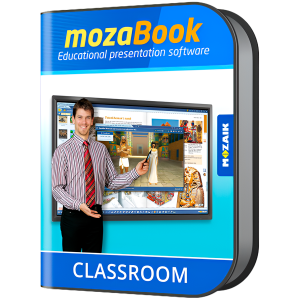
mozaBook CLASSROOM, interactive educational software for teachers, 1 year


mozaBook
Integrate impressive software for teaching with impressive interactive elements and its skill-building features to provide students with an engaging and productive learning environment

INNOVATIVE TOOL
MozaBook revolutionizes the studying experience by incorporating interactive teaching software features. Its captivating illustrations, animations, and presentation options make it an engaging platform for students.

SIMPLE AND INTUITIVE
MozaBook is designed with teachers in mind, ensuring that it is intuitive and user-friendly, with functions easily accessible in expected locations.


SOCIAL
MozaBook promotes social learning by enabling teachers to share exercise books and worksheets at the school or national level.
VERSATILE
The online teaching software is versatile, allowing users to create their own digital textbooks by adding interactive content from the media library to PDF documents.


BREATHTAKING
Classroom teaching software MozaBook offers an impressive collection of resources to inspire and engage students with over 1300 3D scenes, educational videos, audio files, and worksheets.
UNLOCK INNOVATIVE DIGITAL EDUCATIONAL SOLUTIONS
Mozaik provides cutting-edge solutions for teachers, students, and schools. Students experience digital textbooks and interactive lessons on PCs, tablets, and smartphones, enabling productive learning anytime, anywhere via MozaBook and mozaWeb. Teachers enhance their program with advanced interactive software for engaging digital lessons. The Mozaik PACK offers discount of group licenses for schools to integrate versatile educational software into their curriculum more easily.


EXCITING TOOLS FOR BETTER EDUCATION
MozaBook offers exciting tools for better education: interactive visualization across school subjects by a vast 3D scene library, skill-building games and experiment tools encouraging creativity, digital lessons with immersive tasks, and 20 3D smartbooks with over 800 scenes for cutting-edge learning experiences. This innovative software provides solutions for students, teachers, and schools to enhance education through engaging digital content.


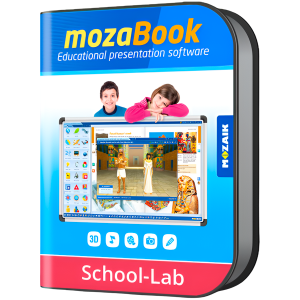
mozaBook SCHOOL-LAB - one chosen language / one device / 1 Year


MOZABOOK SCHOOL-LAB
A device-based license for classroom PC's

This license is an excellent choice for classrooms or computer labs, as it enables multiple students to access mozaBook interactive software. All they need to do is create local user accounts, so that they can work on their content independently, while sharing the same device. Even though the license is linked to a computer, many students can benefit.
JUST DOWNLOAD MOZABOOK FOR WINDOWS
Your students will be able to:
| Explore all interactive content (3D scenes, educational videos and digital lessons)
| Use all the applications designed for skill-development, illustration and practice
| Open their digital books (purchased separately)
| Attend the lessons their teacher launched, through the classwork function
| Solve interactive exercises assigned by their teachers
| Work on interactive exercise books and presentations


Multilingual Historical Atlas - Extra edition. 1year, 1device. 150 maps.


MULTILINGUAL HISTORICAL ATLAS
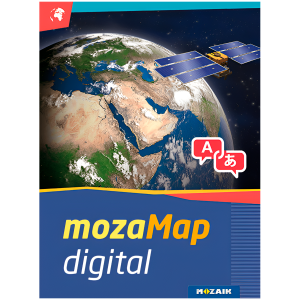
With 1 year license, you get 150 Multilingual Digital Maps for Interactive Boards or any Windows device.

MozaMaps help educators upgrade classroom experience and enhance student learning with attention-grabbing historical maps, which can be customized with various digital tools. To enjoy the benefits of these historical atlases, keep in mind that you need to purchase the mozaBook software license first.
BRING HISTORY BACK TO LIFE
Now you can select various details or parts of a map from different historical periods, and these transitions will be presented via animation. This is an excellent tool for teachers that wish to highlight the geographical impact of certain events e.g. wars, trade, or treaties, as well as for student learning, since correlations between developments -not just by territory and area, but also over time- are visualized in an engaging way. During the animation, the historical date is always displayed at the bottom of the screen for more clarity, while features like pause or alteration of playback are also available.


FUN EXERCISES FOR ENHANCED LEARNING
Just use mozaMap to create custom exercises, save, share and easily insert them into mozaBook. Teachers can load historical and geographical landmarks into blank maps for students to match these events with the appropriate labels. Time limits can also be set, so that students are always aware of how much time they have left to solve an exercise and when they complete it, mozaMap will display the ratio of correct answers.


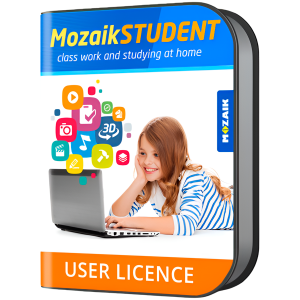
Mozaik STUDENT license for all platform, for one student, 1 year


MOZAIK STUDENT
Enhanced learning capabilities with a user license designed for the next generation of students

This license type is ideal for students that want to use mozaBook and mozaWeb educational platform to read or do their homework from their personal device(s). With Mozaik STUDENT license, they can use any device e.g. computer, tablet, smartphone etc. as long as they are logged in only on one device at a time.
FLEXIBLE LEARNING WITH NO LIMITS
To access mozaBook educational assets, just install mozaBook for Windows software on your computer or download mozaBook Android/iOS apps to your smartphone or tablet. If you prefer, you can also access the mozaWeb educational platform from any desktop browser. The same mozaWeb account can be opened in Windows, iOS or Android tablets, while digital textbooks (purchased separately) can also be opened in all platforms.


INDEPENDENT LEARNING AT HOME
MozaBook offers students a great variety of engaging and interactive educational content, organized by school subject. On their free time, students can explore a rich media library that includes hundreds of videos and audio files, games for practice, virtual lab set up option, plus 1300+ captivating 3D scenes. With a Mozaik STUDENT license students can explore the above, discover more on their favorite field of study, as well as work on homework assignments or view exercise books sent by their teachers.
WHY IS MOZAIK STUDENT SO POPULAR
| Increased engagement and motivation due to the application of modern interactive teaching tools
| Age-adjusted tools that students start using as a game and gradually become actual tasks, when students are more skilled
| Facilitation of learning via an integrated user environment with the same interface both at home and school
| Digital familiarity and literacy through the digital tools of mozaBook
| Available in 40 languages, so that students can read easily in their mother tongue, plus practice in foreign languages
| Quicker understanding and improved performance through the usage of impressive figures, videos and 3D animations


Multilingual Geographical Digital Atlas - Upper Primary. 1year, 1device. 127 maps.


mozaMap
With 1 year license, you get 127 Multilingual Digital Maps for Interactive Boards or any Windows device

Now Geography and History teachers can plan and conduct classes more efficiently, by using or even customizing various types of maps and their visual elements. To enjoy the benefits of mozaMap atlases, keep in mind that you need to purchase the mozaBook software license first.
WHAT MAKES MOZAMAPS SPECIAL
| Printed maps are no longer necessary. You can have more digital maps instead, store them in your device to save space and present them anywhere.
| Ability to highlight important details. MozaMap atlases include layers and teachers can easily switch them on/off or set to flash, adjusting them to the needs of each lesson.
| All map segments can be enlarged without losing their quality, as they are vector-based files, enabling dynamic scale adjustments to the current magnification in real time.
| Multilingual in a few clicks. Both labels and user interface (menu system, layer names, legends, etc.) can be switched to the language you prefer.
| Increased interaction and student engagement through illustrations and other digital features available in the software.


PERSONALIZED USE
All texts included in the maps can be searched and found, while map layers can be turned on/off, one by one. In addition, educators can easily customize map views, adjusting them each time to the needs of their classroom for better results. For example, they can label and save the maps they created, including zoomed views, drawings, or even visible layers. Saved views can be inserted into mozaBook and opened during the lesson with a single click.
NUMEROUS ILLUSTRATION OPTIONS
Use the individual map layers to add freehand lines, images, geographical and historical symbols from a large collection or even annotations. With the built-in drawing tool, you get multiple options for illustration, as well as the ability to adjust their size to the scale of the map, save or move them. Whatever you create can be later used in the classroom.


Multilingual Geographical Digital Atlas - Secondary School. 1year, 1device. 288 maps.


mozaMap
With 1 year license, you get 288 Multilingual Digital Maps for Interactive Boards or any Windows device

Now Geography and History teachers can plan and conduct classes more efficiently, by using or even customizing various types of maps and their visual elements. To enjoy the benefits of mozaMap atlases, keep in mind that you need to purchase the mozaBook software license first.
WHAT MAKES MOZAMAPS SPECIAL
| Printed maps are no longer necessary. You can have more digital maps instead, store them in your device to save space and present them anywhere.
| Ability to highlight important details. MozaMap atlases include layers and teachers can easily switch them on/off or set to flash, adjusting them to the needs of each lesson.
| All map segments can be enlarged without losing their quality, as they are vector-based files, enabling dynamic scale adjustments to the current magnification in real time.
| Multilingual in a few clicks. Both labels and user interface (menu system, layer names, legends, etc.) can be switched to the language you prefer.
| Increased interaction and student engagement through illustrations and other digital features available in the software.


PERSONALIZED USE
All texts included in the maps can be searched and found, while map layers can be turned on/off, one by one. In addition, educators can easily customize map views, adjusting them each time to the needs of their classroom for better results. For example, they can label and save the maps they created, including zoomed views, drawings, or even visible layers. Saved views can be inserted into mozaBook and opened during the lesson with a single click.
NUMEROUS ILLUSTRATION OPTIONS
Use the individual map layers to add freehand lines, images, geographical and historical symbols from a large collection or even annotations. With the built-in drawing tool, you get multiple options for illustration, as well as the ability to adjust their size to the scale of the map, save or move them. Whatever you create can be later used in the classroom.


ПРОДУКТИ